


Request a quote and receive a price in about 15 minutes.


Quick Quotes
Fast Shipping
1 Year Warranty
PCIe-8242 Technical Specifications:
| Manufacturer | National Instruments |
|---|---|
| Model | PCIe-8242 |
| Part Number | 782889-01 |
| Type | Frame Grabber Device |
| Repair Evaluation | $150 |
PCIe-8242
Home PCIe-8242
| Part Number | PCIe-8242 |
| Manufacturer/Brand | National Instruments |
| Description | PCIe-8242, 2-Port, Frame Grabber Device |
Speak to a sales representative for pricing & lead time:
 Phone:
1-919-809-5227

• Quick Quotes: Receive Price & Availability Today!
• Warranty: 1 Year Warranty Covered by Apex Waves
• Calibration: Ask About Our Tiered Calibration Levels
• Option & Modules: Confirm Your Requirements or Versions
• Repair: Cost & Lead Time Available Upon Request for Service
- Description
- Technical Specifications
- FAQ
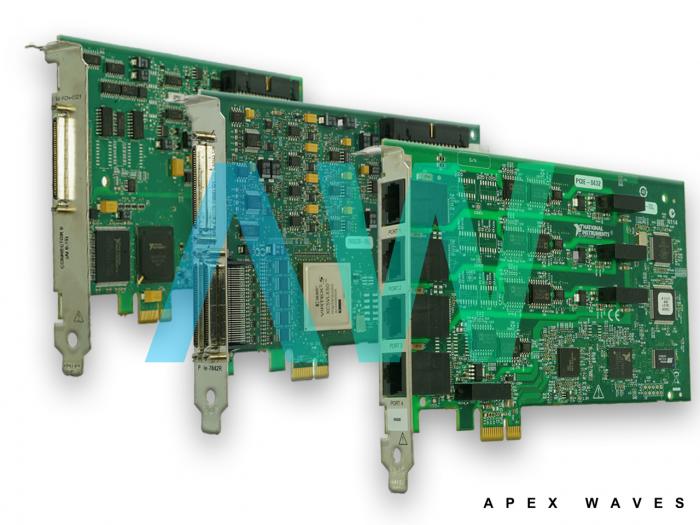
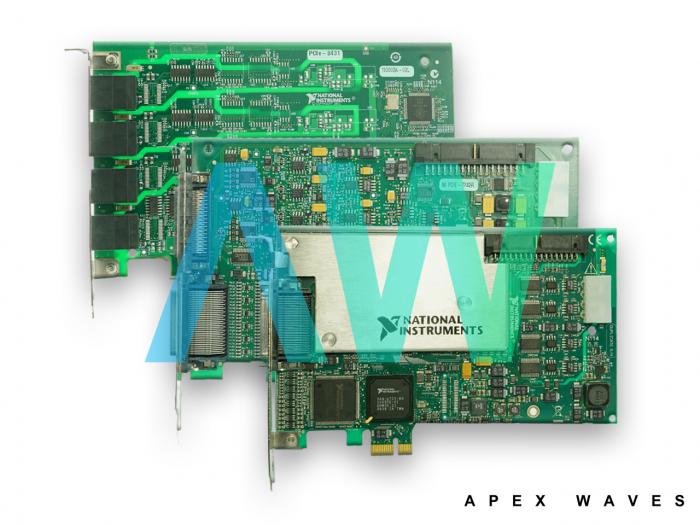
National Instruments PCIe-8242 Frame Grabber Device
The PCIe-8242 (Part Number: 782889-01) is a USB 3.0 interface model intended to be used with USB3 Vision cameras. USB 3.0 is perfect for machine vision applications with high data rates. USB3 Vision cameras additionally provide plug-and-play usefulness and usability through a regular array of features.
The USB3 vision standard is based on the SuperSpeed ​​USB determination, also called the USB 3.0 detail. USB 3.0 is overseen by the USB Implementers Forum (USB-IF) and offers 400 MB/s throughput and 4.5 Watts of intensity (at 5V) to the gadget. The USB3 Vision standard characterizes components for gadget revelation and ID, control, and picture spilling. Facilitated by the Automated Imaging Association (AIA), the worldwide exchange relationship for the vision and imaging industry, USB3 Vision will permit "plug and play" similarity between a USB3 Vision gadget and a PC running a standard USB 3.0 interface. USB3 Vision works off existing guidelines, including the GigE Vision and standard for Gigabit Ethernet gadgets. Thusly, cameras will have an XML document that characterizes upheld camera highlights. USB3 Vision will utilize the GenICam programming interface to enable access to normal and furthermore highlights USB3 Vision additionally allows zero-duplicate picture exchanges of picture specifically into memory with no CPU utilization. The standard also encloses details for an institutionalized screw-bolt USB 3.0 connector to anchor links to the gadgets and host machine. The USB 3.0 standard gives a depiction of the connection between wire measure and most extreme length to counteract voltage drops that are too high, along with constriction. In this manner, for aloof cabling arrangements, a length of 5 meters or less is suggested.
| Model | PCIe-8242 |
|---|---|
| Manufacturer | National Instruments |
| Part Number | 782889-01 |
| Type | Frame Grabber Device |
| Number of Ports | 2 Ports |
| Speed | 1.5 Mbps, 12 Mbps, 480 Mbps, 5 Gbps |
| Camera Interface | USB3 Vision |
| I/O Connectors | 2 × USB 3.0 connectors |
| PCI Express Compliance | 2.0 |
| Bus Powered | Yes |
| Power Requirements | +12 V, +3.3 V - 1.2 A, 0.54 A |
| Dimensions | 3.31 in. × 2.52 in |
| Weight | 0.1 lb. |
| Driver Software | NI-IMAQdx 4.1 NI Vision Renesas µPD720202 |
| Warranty | 2-3 Year Warranty |
| PCIe-8242 Manual | User Manual and Maintenance Manual Available for Download |
| Price | Contact a sales representative for a quote. |
National Instruments PCIe-7842 Frequently Asked Questions
Question: How do I record the timestamp data for my images when using the NI PCIe-8242?
Answer: To access the timestamp data when using the NI PCIe-8242, use LabVIEW’s unflatten from string VI to get the numeric value, then combine the two 32-bit halves.
Question: How do I complete a continuous video using the PCIe-8242?
Answer: To complete a continuous video using the PCIe-8242, run an acquire and display loop. Check the image index for the early images and copy what you need to a new image buffer.
Question: How do I enable precise triggering with the PCIe-8242?
Answer: To enable precise triggering while using the PCIe-8242, connect a digital signal to the camera using a trigger cable.
PCIe-8242
Main Image
Secondary Image
PCIe-8242, 2-Port, Frame Grabber Device
Call
919 809 5227

Rated 0/5 based on 0 ratings.
- PCIe-8242 Technical Specifications
| Manufacturer: | National Instruments |
|---|---|
| Model: | PCIe-8242 |
| Part Number: | 782889-01 |
| Type: | Frame Grabber Device |
| Repair Evaluation: | $150 |